Your whole restaurant in one system. Guests order and pay from the table; your servers, the kitchen and you see it instantly.
We'll show it to you with your own menu, at your place. Or try the demo
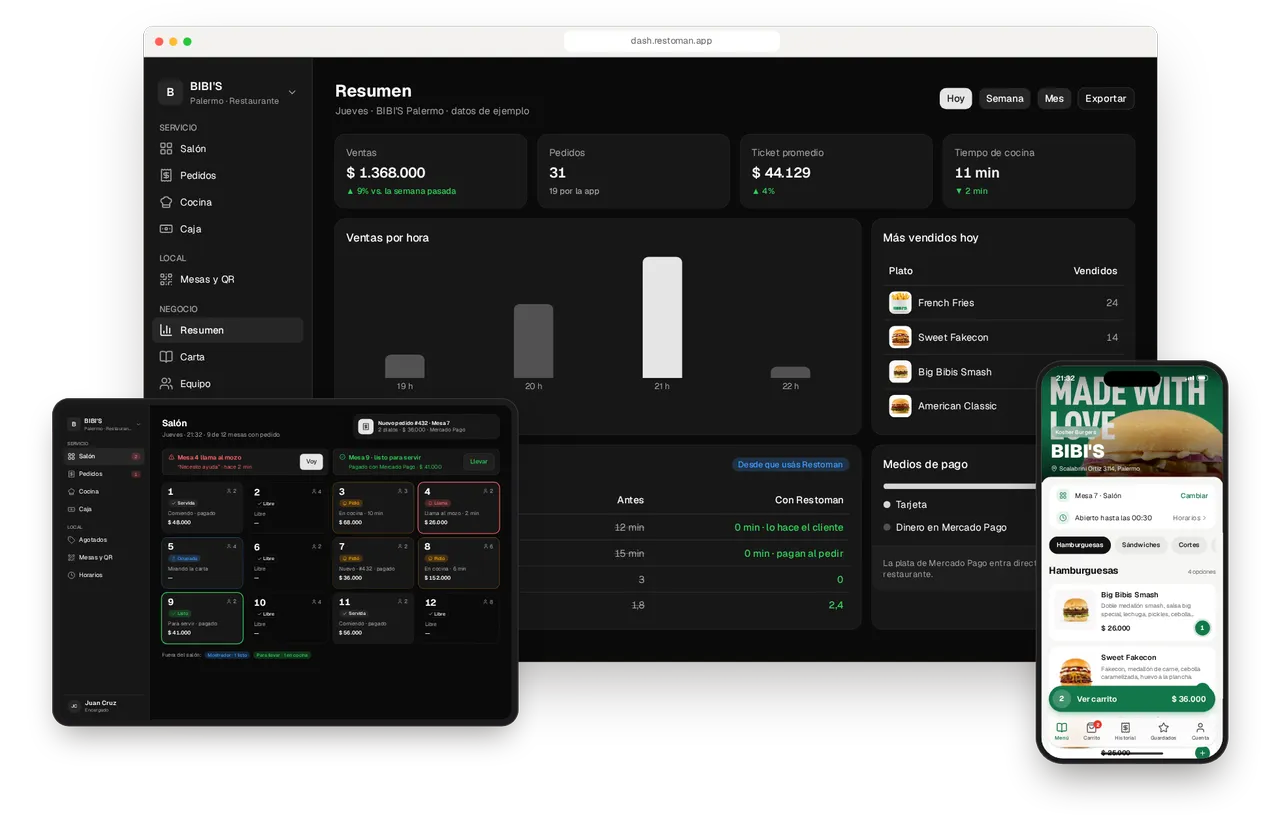
BIBI'S already takes its orders with Restoman.
- Kosher burgers in Palermo
- Takeout orders from the phone
- Payments through Mercado Pago
- Closed Fridays, hands-free
One order, start to finish. From the table's QR code to the night's sales.
Scroll slowly: the order goes from the guest's phone to the server's iPad, the kitchen screen and the owner's summary. Tap anything you like, the demo is real.
BIBI'S
Scalabrini Ortiz 3114, Palermo
Hamburguesas 4 opciones
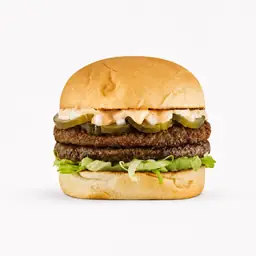
Big Bibis Smash
Doble medallón smash, salsa big special, lechuga, pickles, cebolla picada.
$ 26.000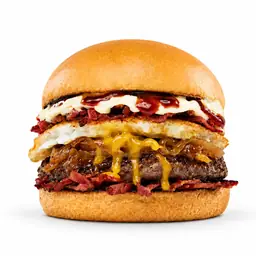
Sweet Fakecon
Fakecon, medallón de carne, cebolla caramelizada, huevo a la plancha.
$ 30.000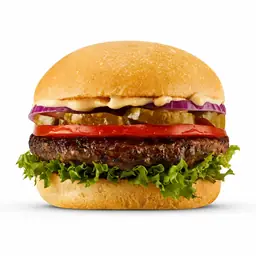
American Classic
Medallón de carne, salsa Bibis, lechuga, tomate, cebolla morada.
$ 25.000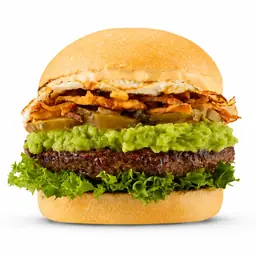
Avocado Burger
Medallón de carne, guacamole, lechuga, pickles, huevo a la plancha.
$ 28.000
Para acompañar 2 opciones
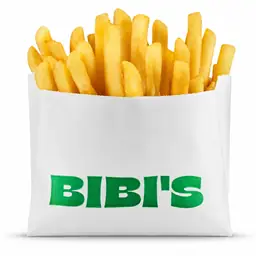
French Fries
Papas fritas.
$ 10.000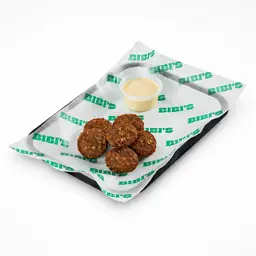
Falafel
Estilo israelí, salsa tahine casera. 8 unidades.
$ 12.000
Tu pedido
Mesa 7 · Salón¡Pedido enviado!
Pagado con Mercado Pago · llega en ~15 min
Pedido
#432
Mesa 7 · Salón
- Recibido
- En preparación Ahora
- Listo
- Entregado
It's interactive: tap the buttons Demo with sample data.
01 · Guest
Scan, order and pay. No waiting on anyone.
They scan the table's QR code
The menu opens on their phone, with photos and up-to-date prices, and it already knows which table they're at. Nothing to download.
They pick what they want
Tap + on any dish. Whatever you order here is what travels all the way to the kitchen.
They pay with Mercado Pago
They see the total, adjust quantities and pay from the table. The money goes straight to the restaurant's account.
Order sent
A big number to call out, and the status live: received, preparing, ready.
02 · Server
The whole floor, on an iPad.
Every table, live
Table 7 switches to «Pidió» (ordered) the second it's paid. No paper tickets, no running back and forth.
What's urgent comes first
When a table calls for a server or an order is ready to serve, it jumps to the top. Tap «Voy» (on my way) and the rest of the team knows it's handled.
03 · Kitchen
Clear tickets, readable from across the line.
The ticket shows up on its own
With what you ordered, the table and a timer that changes color when it runs late. Readable from the grill.
Ready, and the guest knows
The kitchen taps «Listo» (ready) and the guest's phone updates instantly. Try it yourself.
04 · Owner
The business, in numbers.
How the night is going
Sales, orders, average check and kitchen times, live. Your order is already counted.
What changed
How long guests take to order and to pay, and how often each table turns: before and after Restoman.
Sold out in two taps. And the menu knows at once.
The kitchen switches a dish off and it disappears from that location's menu, leaving the others alone. It comes back on its own the next day, or whenever you switch it back on.
Sold out
Palermo: what can't be ordered today.
Falafel until tomorrow at 7:00 PM · marked by Martín at 9:40 PM Choose what sells out at Palermo.
Hamburguesas
Big Bibis Smash $26,000 Sweet Fakecon $30,000 American Classic $25,000 Para acompañar
French Fries $10,000 Falafel $12,000 Sold outA QR code for every table. Ready to print.
Lay out your floor by section and print the codes six to a sheet. Each code opens the menu knowing which table it's on; if one walks off, you generate a new one.
Tables and QR
8 tables · Palermo
Your hours and holidays. The menu knows when you're open.
Set your week and the days you close. Outside opening hours the menu stays visible but takes no orders, and says when you open again.
Hours
Bibi's (demo) · Palermo
Tonight's sales. No waiting for closing time.
Sales, orders, average check and kitchen time, by day and by location, with your best sellers. And a CSV ready for your accountant.
Summary
Oct 19 – Oct 25 · Bibi's (demo)
Connect it to Claude or ChatGPT. And ask about your restaurant.
What sold least this month, what's sold out, how the night is going. Your assistant reads what Restoman knows about your business with your role's permissions, and every change shows up in the activity log under its name.
The Guide already answers: your assistant can read it at docs.restoman.com.ar/mcp
What sold least this month in Palermo?
- Read October's sales in Palermo
- Compared them with September's
The flan with dulce de leche: 4 in all of October, against 19 in September.
| Dish | Oct | Sep |
|---|---|---|
| Flan with dulce de leche | 4 | 19 |
| Provoleta | 7 | 11 |
| Milanesa napolitana | 62 | 41 |
Mark the milanesa sold out in Palermo until tomorrow.
Done: the milanesa napolitana is sold out in Palermo until tomorrow. It shows in the activity log as “Lucía via Claude”.
Getting started is easy. Without slowing down service.
1
Send us your menu
A photo, a PDF or a link to the one you use today. We load it with your photos, prices and options.
2
Print the QR codes and add your team
One per table, ready for your table tents. Everyone signs in with their email and sees what's theirs.
3
Connect Mercado Pago and open
The money goes straight to your account. From that night on, orders reach the kitchen already paid.
Frequently asked questions. Before you book a demo.
No. They scan the QR code and the menu opens in their phone's browser. If they like, they can create an account to see their past orders.
Straight to your Mercado Pago account: you connect your account and every payment lands there. Restoman never touches or holds it.
The guest sees what happened and that they weren't charged. An order reaches the kitchen only once Mercado Pago approves the payment: a failed payment never turns into an unpaid dish.
No. Your team uses Restoman in the browser on a computer or a tablet, and your guests on their own phones.
Yes. You set your hours and closures, holidays included. While you're closed the menu stays visible but takes no orders or payments.
Yes. Dine-in, counter and takeout are switched on separately at each location. You can start with takeout and add your tables whenever you like.